

2.3 Make your site Search Engine-friendly: 11 things to consider
First, meet Mr. Robot. He'll help me to provide examples, to tell you more clearly how website and Search Engine logic works.
The Robot (also called Spider, or Crawler) is a great traveler. Driving his car from one city to another, then to a different country, all over the world.
Well, but in our terms countries are actually websites, cities are web pages, and all the country roads, tracks and highways are links between different pages.
Say, here's a map of such a country, www.weddingchannel.com
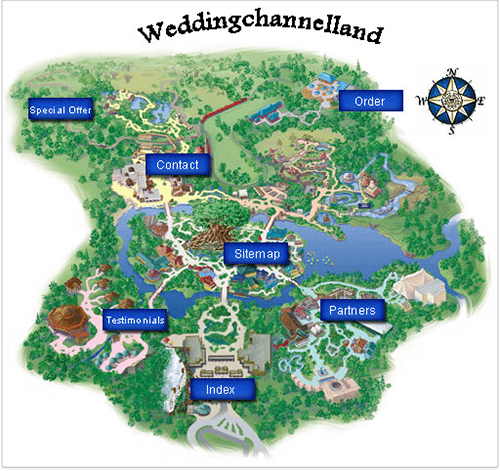
A Map for www.weddingchannel.com
Still, Mr. Robot is not that independent as it may seem. He inspects all the websites, evaluates them, and he's always on the phone to report to the Search Engine. The Search Engine updates its index with the data the Robot reports about a website. And, as soon as the Robot's made a world trip, he's ready to start another one, to check the old spots and explore new ones — to keep the Search Engine's index up–to–date.
And what's a Search Engine's index? It's a huge database, where record is kept of everything that robots (like our guy) find on the Web: web pages and any information on them. In terms of SEO, it's crucial for a web page that all that's good on it is recorded in the Search Engine's index (= is indexed). If it's not there, the page won't be found through search, or will not bring you the results you wish.
This all means that you want the Robot to visit all your important pages, and look at every detail that can be found there.
Now, one by one, let's see the things important for the Robot, and even more important for you.
2.3.1 Make a robots.txt file
Like a traveler coming to a country, the Robot needs a guide — which is the robots.txt file. It's a specific guide, though, as it'll only tell the Robot which "cities" he shouldn't see.
Like, if you're at the crossroads and one of the roads leads to a private place you shouldn't visit, there will be a NO TRESPASSING sign on the way.
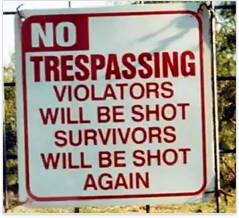
No Trespassing Sign
A robots.txt file will prevent the Robot from going to some pages with sensitive material, private info or any other web pages that you don't want to be found through Google search (for instance, the "shopping cart"), pages that are not important or can be negative for your rankings. And, you can direct the Robot to other, keyword–rich pages, instead.
So, if there's something to hide, a robots.txt file is a must for your website. It helps you keep the Robot away from anything that's not good for your Search Engine rankings. Yep, just tell him not to go here or there — and he'll believe you.
You can make a robots.txt file yourself, though it's rather your webmaster's business. Here's an example of a creative one to inspire you — http://store.nike.com/robots.txt.
What I want you to understand is the fact that the directives in this file are extremely important and can greatly influence the number of pages that will appear in search results after you make these or that tweaks. Obviously, the number of pages appearing in SERP will affect the number of pageviews and clicks you get.
That's why you should be extremely accurate to NOT disallow indexing of the entire website (which is, frankly speaking, quite common among business owners who try to make SEO tweaks themselves). So be cautious, because even a single mistake or a wrong symbol can make the whole website disappear from a Search Engine's index.
After you have the robots.txt file, run it through a validator to ensure it's written correctly. Hundreds of robots.txt validators can be found on the web. You can apply Google's tool, or this one: http://www.invision-graphics.com/robotstxt_validator.html
As soon as the robots.txt file is correct, you needn't worry, as it'll only do you a lot of good, and no harm.
DO IT NOW! Make a robots.txt file and validate it. Add it to the root directory of your website.
2.3.2 Find fast and reliable hosting
Like most travelers, the Robot loves high speed and hates driving slowly. And, I'd rather not tell you what he thinks of traffic jams.
So let's make a good and smooth road for him. That is, let's get fast and reliable hosting. This will guarantee that your web server is never down when a Search Engine spider tries to index it, and it's always fast enough, both for the Robot and for users.
Yep, it's really worth it. Why? We all know that a site can be down sometimes. If this only happens on very rare occasions, it's not that bad. But if you've got problems with hosting, and your site doesn't respond quite often, the Robot may leave this kind of site not checked. Not to say that you simply might be losing sales, because users can't reach you.
So here's what I advise: host your site on reliable servers that are very seldom down and that are fast. By the way, your users will like speed as much as the Robot does
The faster your hosting, the sooner your site loads, the more visitors like it, and the faster they give you their money ;). But that's not just about user experience! Page loading time is one of more than 200 ranking factors, which means that the optimization of your loading speed may positively affect rankings.
According to the latest research, almost half of web users (including my son Andy, who hasn't seen the dial–up era) expect a site to load in 5 seconds or less, and they tend to abandon a site that isn't loaded within 8 seconds. And it's mighty nice of Google that they offer a special tool you can find at https://developers.google.com/speed/pagespeed/service to help us optimize the website performance.
You needn't be an Internet guru to understand and remember:
Search Engine love and helps
quick and stable sale.
DO IT NOW! Try to get hosting that is reliable and fast.
2.3.3 Rewrite dynamic URLs
A common problem for online stores, forums, blogs or other database–driven sites is: pages often have unclear URLs like this: www.weddinggift.com/?item=32554, and you cannot say which good or article it leads to. Though instead, they could have URLs like www.weddinggift.com/silk–linen.html, or www.weddinggift.com/pots.html, where you can easily see what's on the page.
So the problem with such URLs is: no one (neither users, nor even the Robot) can tell what product can be found under the URL before they land on this page.
For simplicity, let's assume that URLs like this, www.weddinggift.com/?item=32554, having parameters (here it's item=) are called Dynamic URLs, while URLs like www.weddinggift.com/silk–linen.html are static. As you can see, static URLs are much more user–friendly. For users, URLs with too much of "?", "" and "=" are hard to understand and pretty inconvenient. It may surprise you, but some guys prefer to memorize their favorite URLs, instead of bookmarking them!
Secondly, static URLs are generally shorter and may contain keywords, which are positive signals for Search Engines. Thirdly, a Search Engine wants to only list pages in its index that are unique. And sometimes Search Engines decide to combat this issue by cutting off the URLs after a specific number of variable characters (e.g.: ? & =). To make sure all your pages with unique and useful content appear in a Search Engine's index, you'd rather make your URLs static and descriptive, if possible.
And now I'll tell you about a nice trick to make URLs look good to Search Engines.
There's a file called .htaccess. It's a plain–text file, and using it, you can make amazing tricks with your web server. Just one example is rewriting dynamic URLs. And then when a user (or a robot) is trying to reach a page, this file gets a command to show a page URL that is user– and crawler–friendly.
This is, basically, hiding dynamic URLs behind the SE–friendly URLs. I'll give you an example for an online store.
As a rule, a page URL for some product looks like this:
http://www.myshop.com/showgood.php?category=34&good=146
where there are two parameters:
category — the group of goods
good — the good itself
At the same website, you may be offering Dove soap in the category of beauty products, with the URL: http://www.myshop.com/showgood.php?category=38&good=157
And a bra by Victoria's Secret, under: http://www.myshop.com/showgood.php?category=56&good=54146
To Search Engines, both pages appear like showgood.php. They just can't understand that these are two different pages offering two different products.
You can rewrite pages, so the Robot will see that both pages contain different information: http://www.myshop.com/beauty–products/dove–soap.html instead of the first URL, for Dove soap and
http://www.myshop.com/victorias–secret–underwear/bra.html
for a bra by Victoria's Secret, as you may guess.
Thus you'll get "speaking URLs" that are understood by Robots and users and are easy to check.
Writing an .htaccess file is not a trivial task and requires special knowledge. Moreover, it's your webmaster's business. I personally never do this myself. So if you have a database–driven site, search the Web for a special SEO service that will write an .htaccess file for you.
Or, if you're using a fairly well–known 3rd–party engine, you can write the .htaccess file yourself, using some scripts that you can find in the Internet. To do the search, you can type in the_name_of_your_site's_engine "URL Rewrite" htaccess or something like that.
For instance, I used the following query: phpBB "URL Rewrite"
And got a number of results:
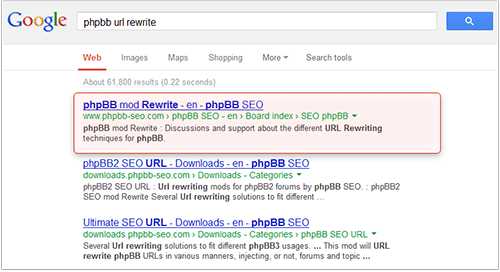
Google results for phpBB URL Rewrite
Now, the idea is: it's of great use to rewrite URLs. So find the URL rewrite tools if you need them — or just find your webmaster.
Then, one more thing, the old URLs that have parameters should be "hidden" from Search Engines. So, use robots.txt we talked above to forbid the old URLs like this:
http://www.myshop.com/showgood.php?category=56&good=54146



Answer
Answer
Answer
Answer
Answer
Answer
Answer
Answer
Answer
Answer
Answer